
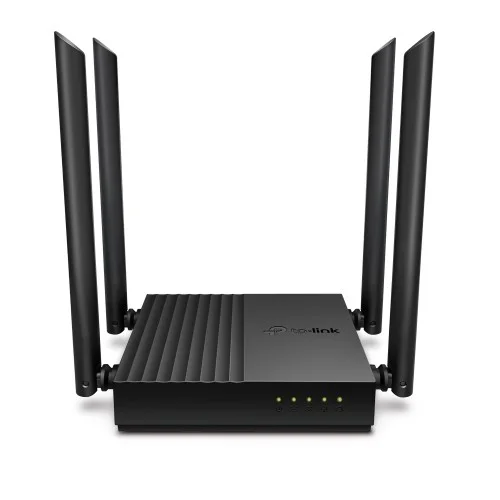
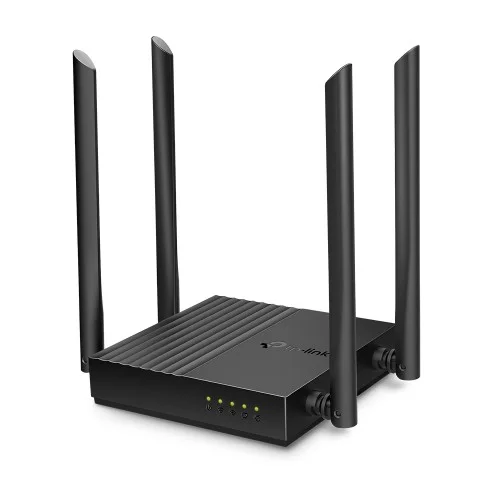


TP-Link Archer C64 AC1200 Dual-Band Gigabit WiFi Router | EZZEMART.COM
What Is the TP-Link Archer C64 AC1200 Dual-Band Gigabit WiFi Router?
The TP-Link Archer C64 AC1200 Dual-Band Gigabit WiFi Router is a wireless networking device designed for homes, apartments, and small offices. It supports dual-band WiFi and Gigabit Ethernet connectivity, making it suitable for users who need flexible wireless access and high-speed wired connections.
With advertised wireless speeds of up to 1200Mbps, four external antennas, MU-MIMO technology, and Beamforming, the Archer C64 supports everyday browsing, HD video streaming, online gaming, video calls, and multiple-device connectivity.
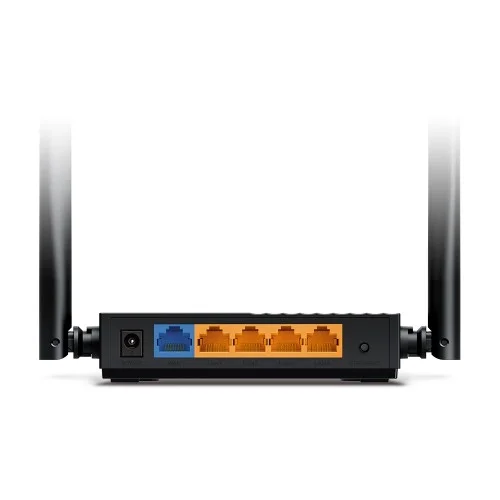
Unlike routers with standard 100Mbps Ethernet ports, the Archer C64 features one Gigabit WAN port and four Gigabit LAN ports, making it a suitable option for high-speed wired networking.
Why Is the TP-Link Archer C64 Useful?
A reliable WiFi router helps distribute an internet connection to smartphones, laptops, smart TVs, gaming consoles, and other compatible devices. The Archer C64 combines dual-band WiFi with Gigabit Ethernet to support both wireless and wired networking needs.
The 2.4GHz band provides advertised speeds of up to 400Mbps, while the 5GHz band supports speeds of up to 867Mbps. The 2.4GHz band is useful for general browsing and connectivity, while the 5GHz band can provide faster wireless connections for streaming and other bandwidth-intensive activities.
Its four external antennas and Beamforming technology help distribute and direct wireless signals toward connected devices. MU-MIMO technology helps the router communicate with multiple compatible devices simultaneously.
Key Features of TP-Link Archer C64
- AC1200 Dual-Band WiFi: Combined advertised wireless speeds of up to 1200Mbps.
- 2.4GHz WiFi: Wireless speeds of up to 400Mbps.
- 5GHz WiFi: Wireless speeds of up to 867Mbps.
- Gigabit Ethernet Ports: One Gigabit WAN port and four Gigabit LAN ports for wired connections up to 1000Mbps.
- Four External Antennas: Help provide wireless coverage throughout your home or office.
- Beamforming Technology: Focuses wireless signals toward connected devices.
- MU-MIMO Technology: Enables simultaneous communication with multiple compatible devices.
- Smart Connect: Helps assign devices to the more suitable WiFi band.
- Airtime Fairness: Helps improve wireless network efficiency.
- Access Point Mode: Allows the router to provide WiFi to an existing wired network.
- EasyMesh Compatibility: Supports mesh networking with compatible EasyMesh devices and firmware.
- WPA3 Security: Provides modern WiFi security on supported configurations.
- Guest Network: Allows visitors to use a separate wireless network.
- Parental Controls: Supports website filtering and internet access time controls.
- Quality of Service (QoS): Helps prioritize traffic for selected devices.
- IPv6 Support: Compatible with IPv6 networking.
- IPTV Support: Supports IPTV features on compatible configurations.
- Easy Setup: Can be configured through the web interface or compatible TP-Link Tether app.
TP-Link Archer C64 AC1200 Router Specifications
| Specification | Details |
|---|---|
| Brand | TP-Link |
| Model | Archer C64 |
| Product Type | Dual-Band Gigabit WiFi Router |
| Wireless Standard | WiFi 5 (IEEE 802.11ac) |
| Wireless Class | AC1200 |
| 2.4GHz Speed | Up to 400Mbps |
| 5GHz Speed | Up to 867Mbps |
| Combined Advertised Speed | Up to 1200Mbps |
| Antennas | 4 Fixed External Antennas |
| Beamforming | Yes |
| MU-MIMO | Yes |
| WAN Port | 1 × Gigabit WAN |
| LAN Ports | 4 × Gigabit LAN |
| Ethernet Speed | Up to 1000Mbps per port |
| Operating Modes | Router, Access Point |
| EasyMesh | Supported with compatible devices and firmware |
| Smart Connect | Yes |
| Airtime Fairness | Yes |
| Guest Network | 2.4GHz and 5GHz |
| WiFi Security | WPA, WPA2, WPA3 |
| Network Protocols | IPv4 and IPv6 |
| Parental Controls | URL Filtering and Time Controls |
| Quality of Service | QoS by Device |
| Power Supply | 12V DC, 1A |
| Dimensions | 120 × 120 × 27.9mm |
| Management | Web Interface and compatible TP-Link Tether App |
| Package Contents | Router, power adapter, RJ45 Ethernet cable, quick installation guide |
| Warranty | Check the warranty offered by EZZEMART.COM |
Specifications are based on TP-Link’s published Archer C64 documentation. Hardware revisions, regional versions, and firmware may affect the availability of certain features.
Detailed Description
The TP-Link Archer C64 AC1200 Dual-Band Gigabit WiFi Router is designed for users who want reliable wireless connectivity alongside fast wired networking. Its dual-band WiFi technology allows compatible devices to connect through either the 2.4GHz or 5GHz band, depending on their requirements.
The 2.4GHz band supports advertised speeds of up to 400Mbps and is useful for everyday browsing, messaging, and connecting compatible devices. The 5GHz band supports speeds of up to 867Mbps and can be useful for HD video streaming, online gaming, video conferencing, and other activities that benefit from faster wireless connections.
Four external antennas help distribute wireless signals, while Beamforming technology concentrates signals toward connected devices. MU-MIMO helps the router communicate with multiple compatible devices simultaneously, while Smart Connect and Airtime Fairness help manage wireless network resources.
One of the Archer C64’s key advantages is its Gigabit Ethernet connectivity. It includes one Gigabit WAN port for the internet connection and four Gigabit LAN ports for wired devices such as desktop computers, smart TVs, gaming consoles, and network switches. This allows compatible wired devices to connect at speeds of up to 1000Mbps, subject to the capabilities of the connected equipment and network.
The router also supports Access Point mode, guest networking, parental controls, device-based QoS, IPv6, and IPTV features. EasyMesh compatibility on supported configurations provides an option to expand wireless coverage by connecting compatible networking devices.
Actual WiFi performance depends on distance, interference, building materials, connected devices, and network conditions. The advertised 1200Mbps is the combined theoretical wireless link rate, not a guaranteed internet download speed.
How to Set Up the TP-Link Archer C64 Router
Step 1: Connect the Power Adapter
Connect the supplied 12V power adapter to the router and switch it on.
Step 2: Connect Your Internet Cable
Connect the Ethernet cable from your modem or internet service provider to the Gigabit WAN port.
Step 3: Connect Your Smartphone or Computer
Connect your device to the router’s default WiFi network or use one of the Gigabit LAN ports.
Step 4: Open the Setup Interface
Follow the instructions in the product manual to access the web management interface or use the compatible TP-Link Tether app.
Step 5: Configure Your Internet Connection
Select the connection type provided by your internet service provider and enter the required settings.
Step 6: Set Your WiFi Name and Password
Create your preferred WiFi network name and a strong password. Save the settings before reconnecting your devices.
Step 7: Connect Your Devices
Connect your smartphones, laptops, smart TVs, gaming consoles, and other compatible devices to the new network.
Buying Guide: Is the TP-Link Archer C64 Right for You?
The TP-Link Archer C64 AC1200 may be a suitable choice if you need:
- A dual-band WiFi router for home or office use.
- Gigabit Ethernet ports for high-speed wired connections.
- Separate 2.4GHz and 5GHz wireless bands.
- A router for streaming, online gaming, video calls, and everyday browsing.
- Four external antennas and Beamforming technology.
- MU-MIMO for compatible multi-device environments.
- Access Point functionality.
- EasyMesh compatibility for expanding coverage with supported devices.
- Guest WiFi and parental control features.
Before purchasing, check your internet plan, WiFi coverage requirements, and connected devices. If you have a broadband package above 100Mbps, the Archer C64’s Gigabit ports make it better suited to taking advantage of higher-speed wired connections than routers limited to Fast Ethernet.
Frequently Asked Questions (FAQ)
1. What is the maximum WiFi speed of the TP-Link Archer C64?
The Archer C64 supports combined advertised wireless speeds of up to 1200Mbps: up to 400Mbps on 2.4GHz and 867Mbps on 5GHz.
2. Does the Archer C64 support dual-band WiFi?
Yes. It supports both 2.4GHz and 5GHz WiFi bands.
3. Is the TP-Link Archer C64 a WiFi 5 router?
Yes. It supports IEEE 802.11ac, commonly known as WiFi 5.
4. Does the Archer C64 have Gigabit ports?
Yes. It has one Gigabit WAN port and four Gigabit LAN ports, supporting Ethernet link speeds of up to 1000Mbps.
5. How many antennas does it have?
The Archer C64 has four fixed external antennas.
6. Does it support MU-MIMO?
Yes. MU-MIMO allows the router to communicate with multiple compatible devices simultaneously.
7. Does the Archer C64 support EasyMesh?
Yes, it is listed as EasyMesh-compatible. Mesh functionality depends on compatible devices and supported firmware.
8. Can I use the Archer C64 as an Access Point?
Yes. Access Point mode allows it to provide WiFi connectivity to an existing wired network.
9. Does it support WPA3 security?
Yes. TP-Link lists WPA3 support for the Archer C64. Actual availability may depend on the hardware version and firmware.
10. Can I manage the router from my phone?
Yes. You can manage supported configurations through the TP-Link Tether app or web interface.
11. Is the Archer C64 suitable for a high-speed internet connection?
Its Gigabit Ethernet ports support wired link speeds up to 1000Mbps. Actual internet performance depends on your broadband package, device capabilities, WiFi conditions, and network setup.
12. Where can I buy the TP-Link Archer C64 in Bangladesh?
Visit EZZEMART.COM to check current product availability, pricing, and warranty information.
Why Buy from EZZEMART.COM?
- A range of technology products and networking accessories.
- Convenient online shopping in Bangladesh.
- Product information to help you compare networking solutions.
- Customer support for product-related questions.
Choose the TP-Link Archer C64 AC1200 Dual-Band Gigabit WiFi Router for dual-band wireless connectivity, Gigabit Ethernet ports, and flexible networking features for home or small-office use.
Disclaimer:
Product descriptions and technical specifications on this website may be generated with the assistance of AI and are provided for reference purposes only. Actual product features, performance, and specifications may vary — please verify all details directly with the official manufacturer’s website before purchase. We do not manufacture; we are a seller and are not responsible for discrepancies in product features, behavior, or specifications.


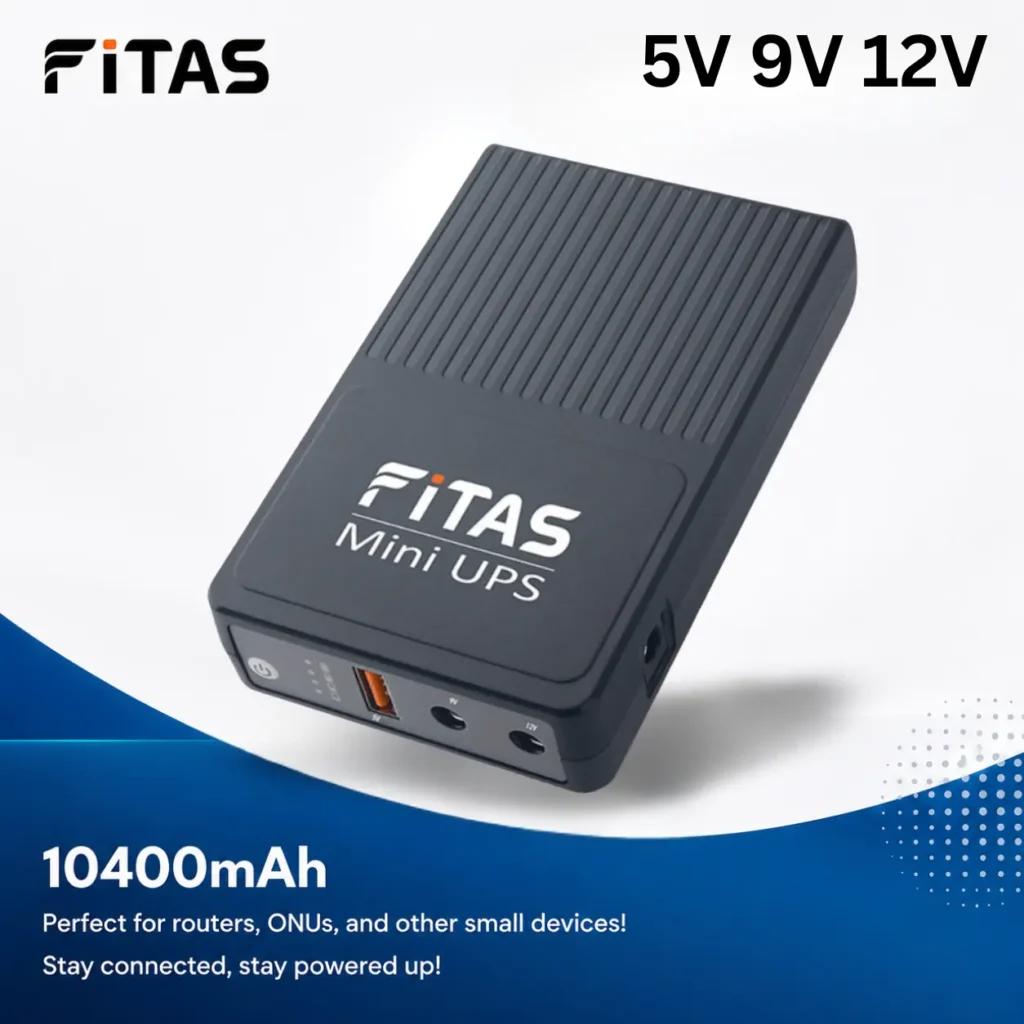
FiTAS 10400mAh TM55 DC Mini UPS 5V 9V 12V
Original price was: ৳ 1,900.00.৳ 1,600.00Current price is: ৳ 1,600.00.
Premium Metal Router Stand with Cut-Out Design – Black
Original price was: ৳ 500.00.৳ 450.00Current price is: ৳ 450.00.
Combo! FiTAS 10400mAh TM95 Pro Mini UPS 5V 9V 12V 12V with 12V 2A Adapter
Original price was: ৳ 2,200.00.৳ 1,950.00Current price is: ৳ 1,950.00.

SmarToools AAA 1.5V 750 mWh Rechargeable Battery (4Pcs Set)
Original price was: ৳ 1,200.00.৳ 950.00Current price is: ৳ 950.00.
WIWU Crystal Transparent Wireless Mouse
Original price was: ৳ 1,750.00.৳ 1,400.00Current price is: ৳ 1,400.00.
Vention I15BB-V2 20000mAh 22.5W LED Display Power Bank – Black
Original price was: ৳ 2,300.00.৳ 2,250.00Current price is: ৳ 2,250.00.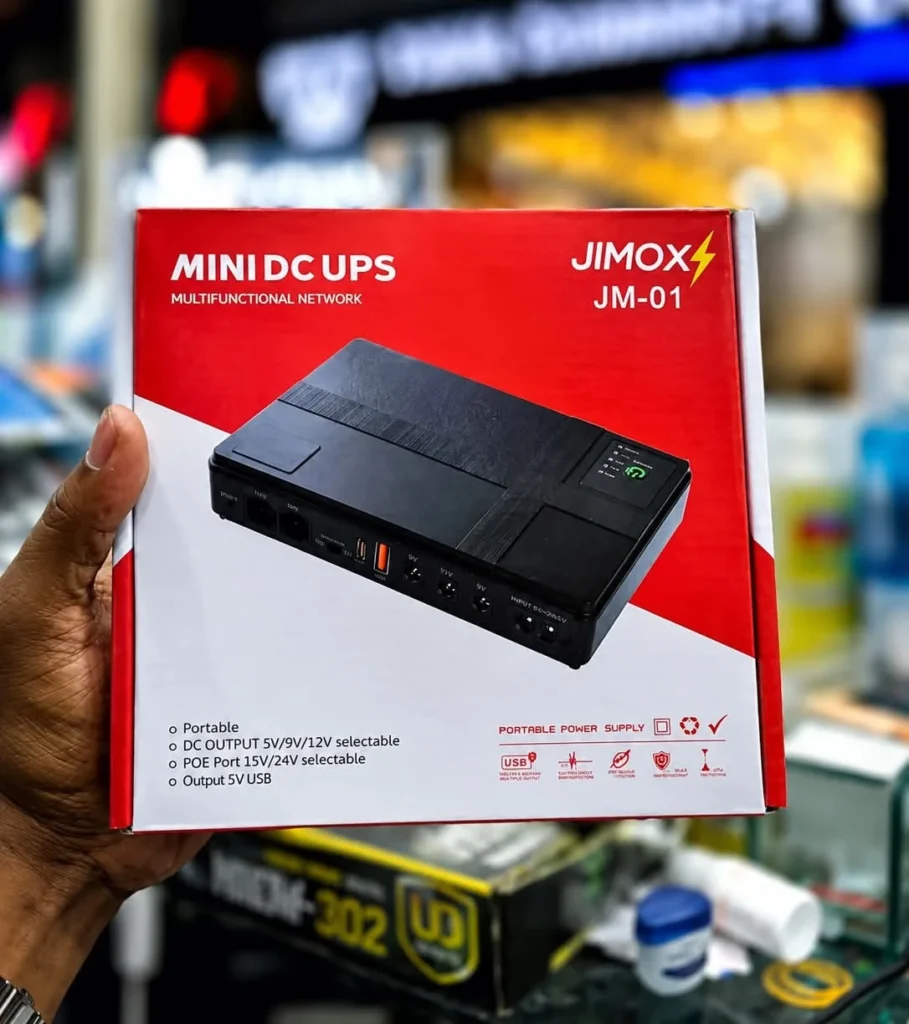
JIMOX JM-01 Multi-Output Mini UPS for Router & ONU (10400mAh, Fast Charging)
Original price was: ৳ 2,300.00.৳ 2,000.00Current price is: ৳ 2,000.00.
Ulanzi MT-44 Extendable Vlog Tripod With 360° Ball Head (Black)
Original price was: ৳ 2,100.00.৳ 1,790.00Current price is: ৳ 1,790.00.
New Version WGP Mini UPS For Router, Onu and CC Camera 10400mAh (5V/9V/12V)
Original price was: ৳ 2,200.00.৳ 1,850.00Current price is: ৳ 1,850.00.


Reviews
Clear filtersThere are no reviews yet.