
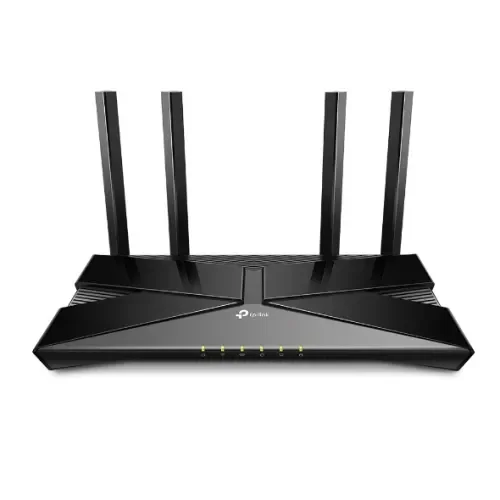


TP-Link Archer AX53 AX3000 Dual Band Gigabit Wi-Fi Router | EZZEMART.COM
The TP-Link Archer AX53 AX3000 Dual Band Gigabit Wi-Fi Router is a Wi-Fi 6 router designed for homes and small offices that need fast wireless connectivity, efficient multi-device performance, and high-speed wired networking. It offers combined theoretical wireless speeds of up to 3000 Mbps, with up to 2402 Mbps on the 5 GHz band and 574 Mbps on the 2.4 GHz band.
Featuring four high-performance external antennas, OFDMA, MU-MIMO, Beamforming, and Gigabit Ethernet ports, the Archer AX53 is suitable for 4K streaming, online gaming, video conferencing, large downloads, remote work, and everyday internet use.
It is an excellent option for users looking to upgrade to Wi-Fi 6 and improve the efficiency of their home or office network.
Why Is the TP-Link Archer AX53 Useful?
The TP-Link Archer AX53 is designed to handle multiple connected devices more efficiently than many older-generation routers. Its Wi-Fi 6 technology helps manage wireless traffic, while dual-band connectivity allows compatible devices to connect using either the 2.4 GHz or 5 GHz frequency band.
It is useful for:
- Homes with multiple smartphones, laptops, tablets, and smart TVs.
- 4K video streaming and high-bandwidth downloads.
- Online gaming and video calls.
- Remote work, online classes, and home offices.
- Broadband connections that benefit from Gigabit Ethernet.
- Users who want Wi-Fi 6 performance and the option to expand coverage with compatible mesh devices.
Actual wireless performance depends on your internet package, client devices, router placement, and surrounding network conditions.
Key Features of TP-Link Archer AX53 AX3000
- Wi-Fi 6 Technology: Uses the IEEE 802.11ax standard for improved wireless efficiency and capacity.
- AX3000 Dual-Band Wi-Fi: Combined theoretical wireless speeds of up to 3000 Mbps.
- 5 GHz Speed up to 2402 Mbps: Supports high-bandwidth activities on compatible Wi-Fi 6 devices.
- 2.4 GHz Speed up to 574 Mbps: Suitable for everyday browsing and compatible connected devices.
- 160 MHz Channel Bandwidth: Supports wider channels on compatible devices and where local regulations permit.
- Four External Antennas: Help distribute wireless signals throughout your home or office.
- OFDMA Technology: Helps compatible Wi-Fi 6 devices share wireless resources efficiently.
- MU-MIMO Technology: Improves communication efficiency with compatible devices.
- Beamforming: Helps direct wireless signals toward connected devices.
- Gigabit Ethernet Ports: Supports fast wired connections for computers, smart TVs, gaming consoles, and other devices.
- TP-Link HomeShield: Provides network security and parental-control features, with some advanced services requiring a paid plan.
- WPA3 Security: Offers a modern wireless security option on compatible devices.
- EasyMesh Compatibility: Allows network expansion with compatible EasyMesh products, subject to hardware and firmware requirements.
- Access Point Mode: Allows the router to provide Wi-Fi through an existing wired network.
- TP-Link Tether App: Supports convenient setup and network management on compatible smartphones.
- Target Wake Time (TWT): Helps compatible devices manage wireless communication and power consumption.
TP-Link Archer AX53 Specifications
| Specification | Details |
|---|---|
| Brand | TP-Link |
| Model | Archer AX53 |
| Product Type | Dual-Band Gigabit Wi-Fi Router |
| Wi-Fi Generation | Wi-Fi 6 |
| Wireless Standard | IEEE 802.11ax/ac/n/a (5 GHz), IEEE 802.11ax/n/b/g (2.4 GHz) |
| Wireless Class | AX3000 |
| 5 GHz Speed | Up to 2402 Mbps |
| 2.4 GHz Speed | Up to 574 Mbps |
| Combined Theoretical Speed | Up to 3000 Mbps |
| Antennas | 4 Fixed High-Performance External Antennas |
| Channel Bandwidth | Up to 160 MHz on compatible configurations |
| OFDMA | Supported |
| MU-MIMO | Supported |
| Beamforming | Supported |
| Processor | Dual-Core CPU |
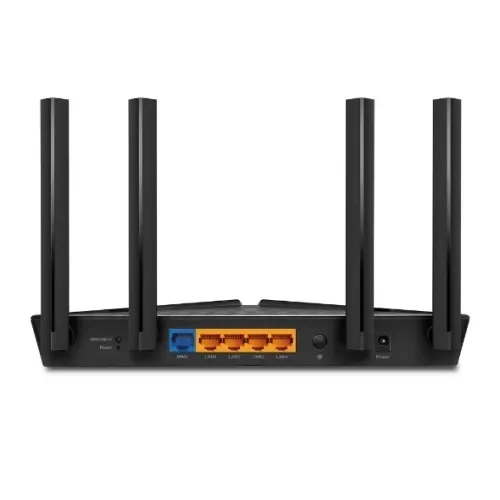
| WAN Port | 1× Gigabit WAN |
| LAN Ports | 4× Gigabit LAN |
| Security | WPA, WPA2, WPA3; availability depends on configuration |
| Network Protection | TP-Link HomeShield |
| Working Modes | Router Mode, Access Point Mode |
| Mesh Compatibility | EasyMesh; compatibility depends on hardware and firmware |
| Network Protocols | IPv4, IPv6 |
| Management | Web Interface, Compatible TP-Link Tether App |
| Power Supply | 12V DC, 2A on the referenced version |
| Dimensions | Approximately 260.2 × 135 × 41.6 mm |
Specifications are based on TP-Link’s official Archer AX53 documentation. Hardware versions and regional variants may differ.
Detailed Description of TP-Link Archer AX53
Next-Generation Wi-Fi 6 Performance
The Archer AX53 uses Wi-Fi 6 technology to provide faster theoretical wireless speeds and improve network efficiency with compatible devices. It is designed for modern households where multiple devices connect to the internet for streaming, gaming, work, and entertainment.
Its AX3000 rating combines the theoretical wireless link rates of both frequency bands. A single device will not necessarily achieve 3000 Mbps, and actual internet speed depends on several factors, including your broadband package and device capabilities.
Dual-Band Connectivity for Better Network Management
The 2.4 GHz band is useful for everyday browsing and compatible smart devices, while the 5 GHz band provides higher theoretical speeds for activities such as streaming, online gaming, and large downloads.
Using both bands helps distribute devices according to their wireless capabilities and network requirements.
OFDMA and MU-MIMO for Multiple Devices
OFDMA and MU-MIMO help the router communicate more efficiently with compatible devices. These technologies are particularly useful in busy households where several people may be streaming videos, attending online meetings, browsing websites, or playing games simultaneously.
The actual benefits depend on client-device compatibility and the level of network congestion.
Four Antennas and Beamforming for Wi-Fi Coverage
Four high-performance external antennas work with Beamforming technology to help distribute wireless signals and direct them toward connected devices.
Coverage depends on building materials, walls, interference, router placement, and the capabilities of connected devices. Larger homes may benefit from an additional compatible mesh device.
Gigabit Ethernet for Fast Wired Connections
The Archer AX53 provides one Gigabit WAN port and four Gigabit LAN ports. These connections are suitable for compatible desktop computers, smart TVs, gaming consoles, and other wired devices.
Gigabit Ethernet can provide more wired-network capacity than traditional 100 Mbps Fast Ethernet, making the router a suitable choice for compatible high-speed broadband connections.
HomeShield Security and Parental Controls
TP-Link HomeShield provides supported network protection and parental-control tools. Depending on the available plan and firmware, features may include network scanning, content filtering, device management, and protection against certain online threats.
Some advanced HomeShield features require a paid subscription.
Expand Your Network with EasyMesh
Compatible Archer AX53 hardware and firmware can support EasyMesh networking, allowing you to extend coverage using compatible devices. This can help reduce Wi-Fi dead zones and provide a more consistent connection throughout your home.
Check the compatibility of the specific hardware version and any additional mesh device before purchasing.
How to Set Up the TP-Link Archer AX53 Router
Step 1: Connect the Power Adapter
Place the router in a suitable location and connect its compatible power adapter.
Step 2: Connect Your Internet Source
Connect the Ethernet cable from your modem or internet provider’s equipment to the router’s Gigabit WAN port.
Step 3: Connect Your Smartphone or Computer
Connect your device to the router’s default Wi-Fi network or use an Ethernet cable to connect a computer to one of its LAN ports.
Step 4: Open the Setup Interface
Use the compatible TP-Link Tether app or follow the supplied instructions to access the router’s web management interface.
Step 5: Configure Your Internet Connection
Select the connection type required by your internet service provider. This may include Dynamic IP, Static IP, or PPPoE.
Step 6: Set Your Wi-Fi Name and Password
Create your Wi-Fi name and a strong password. Save the settings and reconnect your devices to the configured network.
TP-Link Archer AX53 Buying Guide
Before purchasing the TP-Link Archer AX53 AX3000 router, consider these factors:
- Wi-Fi 6 Compatibility: Compatible Wi-Fi 6 devices can take advantage of supported Wi-Fi 6 features.
- Internet Speed: Match the router to your broadband package and networking requirements.
- Gigabit Ethernet: Its Gigabit WAN and LAN ports are useful for high-speed wired networking.
- 160 MHz Support: To benefit from wider 160 MHz channels, your device must support them and the feature must be available under local regulations.
- Coverage Requirements: Antenna count alone does not guarantee coverage in every room. Consider your home layout and possible interference.
- Mesh Expansion: Confirm EasyMesh compatibility before purchasing additional networking equipment.
- Security Features: Check which HomeShield services are included and whether any advanced features require a subscription.
- Hardware Version and Warranty: Confirm the regional model, warranty terms, power adapter, and included accessories before ordering.
Frequently Asked Questions
1. What is the maximum speed of the TP-Link Archer AX53?
It offers theoretical wireless speeds of up to 2402 Mbps on the 5 GHz band and 574 Mbps on the 2.4 GHz band, giving it an AX3000 combined rating.
2. Is the TP-Link Archer AX53 a Wi-Fi 6 router?
Yes. The Archer AX53 supports Wi-Fi 6, also known as IEEE 802.11ax, and is backward-compatible with supported older Wi-Fi standards.
3. Does the Archer AX53 support Gigabit internet?
Yes. It includes one Gigabit WAN port and four Gigabit LAN ports. Actual internet speed depends on your ISP package, connected equipment, and network conditions.
4. How many antennas does the Archer AX53 have?
It has four fixed high-performance external antennas.
5. Is the Archer AX53 suitable for gaming and 4K streaming?
Yes. It can support online gaming, 4K streaming, and video calls when paired with a suitable internet connection and compatible devices. Performance also depends on latency, device capability, and network congestion.
6. Does the Archer AX53 support WPA3?
Yes, WPA3 is listed among its supported Wi-Fi security options. Connected devices must also support WPA3 to use that security mode.
7. Can I manage the Archer AX53 from my smartphone?
Yes. You can use the compatible TP-Link Tether app or the router’s web interface to configure and manage your network.
8. Does the Archer AX53 support mesh networking?
Yes. EasyMesh is supported on compatible hardware and firmware. Check compatibility before purchasing an additional router or mesh device.
9. Does TP-Link HomeShield require payment?
Basic HomeShield services are available, while some advanced security and parental-control features may require a paid Pro subscription.
10. Is the Archer AX53 suitable for home and office use in Bangladesh?
It can be a suitable option for homes and small offices that need Wi-Fi 6, dual-band connectivity, Gigabit Ethernet, and support for multiple connected devices. Choose according to your internet package and coverage requirements.
Why Buy TP-Link Archer AX53 from EZZEMART.COM?
EZZEMART.COM offers networking products and technology accessories for home, office, and everyday connectivity needs. Before purchasing the TP-Link Archer AX53, check the product listing for current pricing, stock availability, warranty details, and included accessories.
Choose a router that matches your broadband speed, Wi-Fi coverage requirements, and connected devices.
Disclaimer:
Product descriptions and technical specifications on this website may be generated with the assistance of AI and are provided for reference purposes only. Actual product features, performance, and specifications may vary — please verify all details directly with the official manufacturer’s website before purchase. We do not manufacture; we are a seller and are not responsible for discrepancies in product features, behavior, or specifications.


WIWU Crystal Transparent Wireless Mouse
Original price was: ৳ 1,750.00.৳ 1,400.00Current price is: ৳ 1,400.00.

SmarToools AA 1.5V 2600mWh Rechargeable Battery (4Pcs Set)
Original price was: ৳ 1,200.00.৳ 950.00Current price is: ৳ 950.00.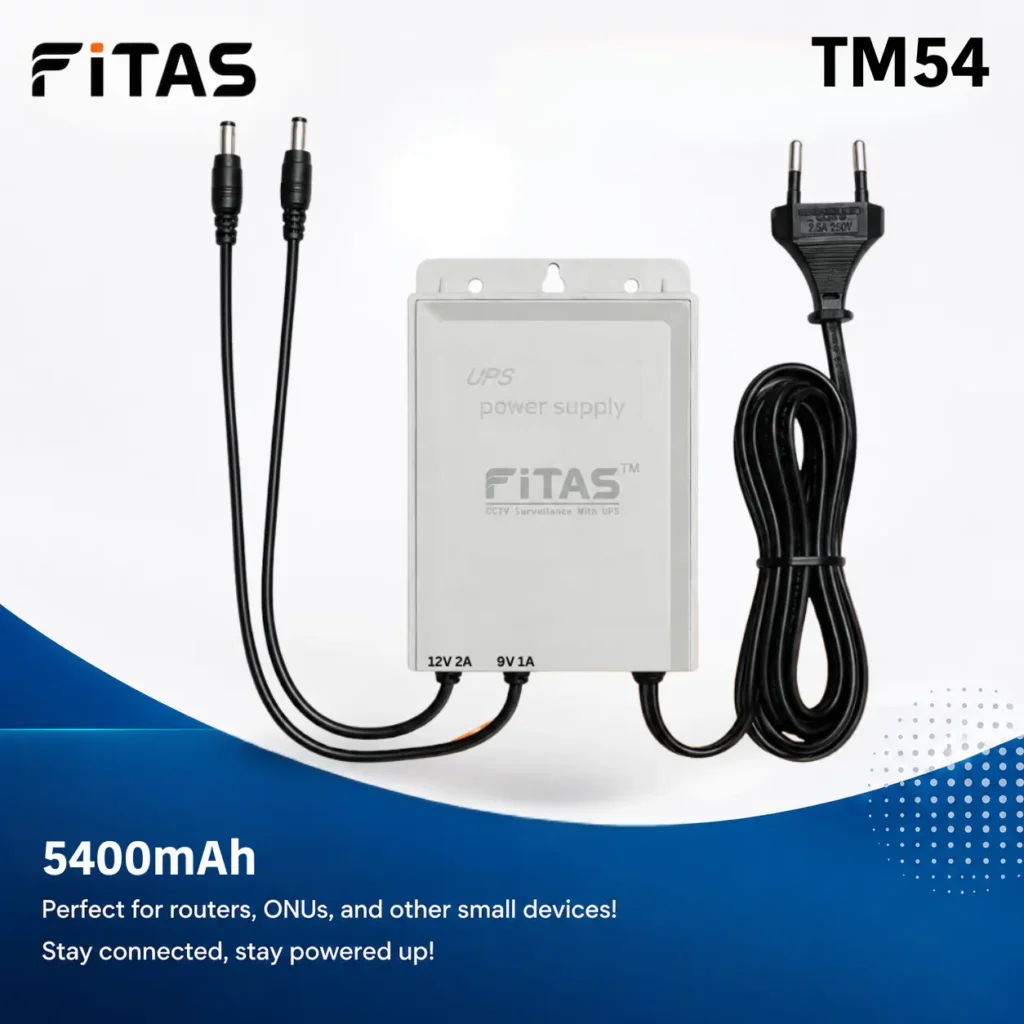
FiTAS TM54 5400mAh DC Mini UPS For Router, Onu
Original price was: ৳ 1,000.00.৳ 900.00Current price is: ৳ 900.00.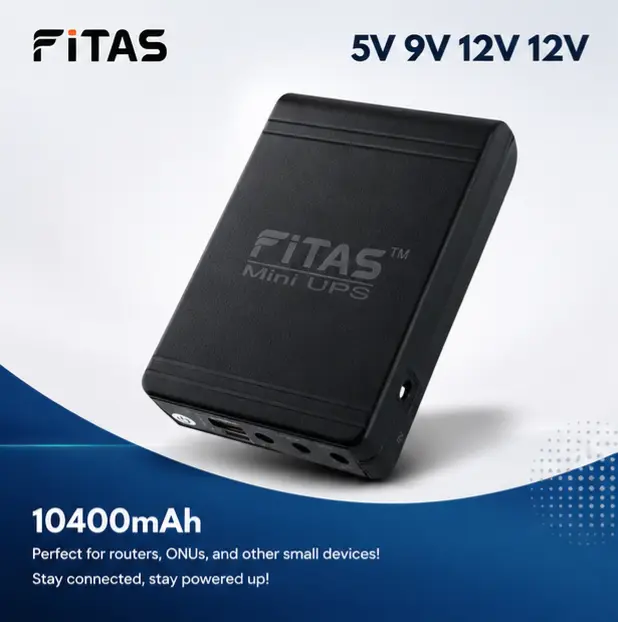
FiTAS 10400mAh TM95 Mini UPS 5V 9V 12V 12V Output with Type C 25W Fast Charging Support
Original price was: ৳ 2,000.00.৳ 1,750.00Current price is: ৳ 1,750.00.

GTECH Power Adapter (12V/3A) for WGP, Router, Onu and Jisulife FA17 Fan
Original price was: ৳ 500.00.৳ 400.00Current price is: ৳ 400.00.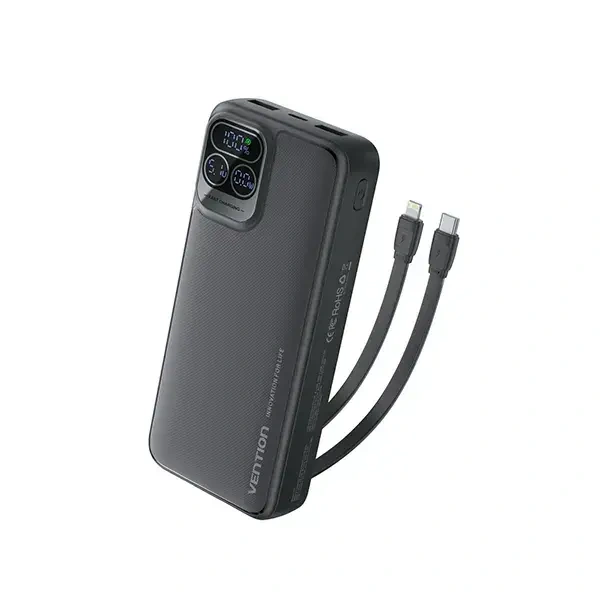
Vention I15BB-V2 20000mAh 22.5W LED Display Power Bank – Black
Original price was: ৳ 2,300.00.৳ 2,250.00Current price is: ৳ 2,250.00.
WGP Mini UPS For Router, Onu and CC Camera 8800mAh (5V/9V/12V)
Original price was: ৳ 2,200.00.৳ 1,750.00Current price is: ৳ 1,750.00.
SKE 432P Mini UPS for Router, ONU & Camera – Output 17W 5V/9V/12V UPS
Original price was: ৳ 2,550.00.৳ 2,150.00Current price is: ৳ 2,150.00.

Reviews
Clear filtersThere are no reviews yet.